

TL;DR
- “It looks fine on my phone” proves nothing. AI doesn’t see your site the way you do.
- If your words need fancy code to appear, most AI crawlers never see them. Put them in plain text.
- 69% of AI crawlers can’t run JavaScript. That doesn’t mean your site is broken. It means you should check.
- Asking ChatGPT for “top brokers” is the wrong test. Ask it about one specific page instead.
- Don’t let anyone sell you a rebuild for a one-page problem. Find the actual fault first.
You can see the words. The tool cannot use them.
You open your advisor page before sending it to an owner in Indianapolis. It looks right. The introduction is there. The services are there.
Then you ask an AI tool to describe the page. The answer misses the explanation.
You show the page to the person who manages the site. They open it in their own browser and say it looks fine.
A website that looks finished to you can still deliver an empty explanation to AI.
“It looks fine on my screen” is the most expensive sentence in website land. Your phone is a powerful little computer that finishes the page for you. Many AI tools can’t.
I build technology for a living, and I still don’t expect an advisor to debug code between showings. You just need to understand the problem in plain English and know what to ask for.
A page can arrive before its words arrive
Your browser is the program that opens websites. It can receive a page and then run extra instructions to finish parts of it.
JavaScript is code used for those extra instructions. It can make a menu work, update a display or reveal text after the initial page arrives.
Picture receiving a folder containing instructions to print a letter. If you can follow the instructions, you get the letter. If you can only read what arrived, you have instructions instead of the explanation.
Not every website works this way. Some sites send the important words ready to read. Others rely on extra code before the words appear.
Many AI reading tools cannot do that extra work. So the question is not whether the finished page looks good. The question is whether the important words are in what the tool receives.
Keep that distinction in ordinary language. A provider who can only show the finished page has not answered it.
searchVIU reported that 69% of AI crawlers can’t run JavaScript (November 2025).
An AI crawler is a tool that visits web pages to collect information. JavaScript is the extra code that can finish parts of a page after it arrives. In plain words, many AI tools can’t read pages that depend on fancy code to load, so simple, fast pages on your own site are easier for them to read.
That number doesn’t tell you whether your site has the problem. Only a check does. And be wary of any vendor who “diagnoses” your whole site without opening it.
Keep the essential explanation outside the effects
Make the important explanation available without relying on animation, a changing panel or an interactive feature.
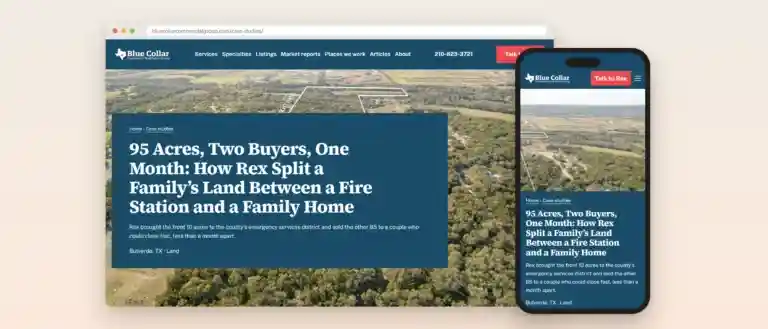
An advisor page should plainly state who you are, where you work and what you do. A case study should explain the challenge, your approach and the result. Those words are useful even without decorative movement.
An interactive map or other feature may still have a place. The point is to avoid making it the only route to information the reader needs.
The same principle helps a person using a phone. They should not have to operate a complicated display just to discover whether you handle owner, occupier or investor work.
Put useful words directly on the page.
A photograph of a brochure is an image of words, rather than the same thing as page text. A reader may need to zoom in or open another file. An AI tool may or may not extract the text well.
Use images to support the account. Use actual text to explain your role, markets and work.
A document download can provide additional background. It should not be the only place a visitor can learn the basics of your practice. The main page should tell them what the document adds and why it might help.
Ask for a demonstration you can understand
Tell the website manager what you need to establish.
Ask whether the main page text is present before extra code runs. Ask them to show the words a reading tool receives and explain any difference from the version you see.
You do not need an unexplained screenshot of code. A useful response identifies the page checked, the text found and any important material missing from that version.
If something is missing, ask what change would make it available. Then ask for the check to be repeated on the revised page.
A tool needs access to a page, and the words on that page need to make sense.
Those are different problems. A readable page full of vague claims may still provide little useful information. A detailed account may be difficult to use if the tool cannot access the text.
Keep both questions in the review. Can the tool receive the material? Does the material accurately explain the practice?
If a page cannot be reached, ask the website manager to investigate the access problem. If it can be reached but says little, improve the writing.
A recommendation list is the wrong test
Asking which advisors a tool suggests is not a clean test of whether it can read your page.
The tool can receive the page and still use other sources. It can answer a different interpretation of the question. It can omit the page for reasons the answer does not explain.
Ask about the specific public page instead. Request the services, markets and role described there. Then compare those facts with the page.
If the tool cannot retrieve it, record that. If it retrieves an old version, record that. If it receives the words but misstates them, that is another problem.
Do not call all three problems unreadable. You will end up asking someone to fix the wrong thing.
A website manager can test the actual text received without the extra instructions. That test is stronger evidence about delivery than a flattering or disappointing advisor list.
Once the important text is available, inspect the words themselves. Readable vagueness is still vagueness. A page that says you offer outstanding service has not explained much, even when every tool can see it.
An access setting, an image holding all the text or a particular page feature may be the issue. Find out before replacing the whole site.
Ask the provider to identify the page checked, the words present, the words missing and the change proposed. Ask whether the current site can deliver the main explanation in a simpler form.
If they propose a rebuild, have them connect it to the demonstrated limitation and to your continuing needs. Update effort and ownership may justify a broader change, but those deserve their own evidence.
I built UpliftCRE because our own team’s website had this exact problem. But I’ll be straight with you: not every unreadable page needs my product or a new website. Sometimes it’s a small fix.
You are buying a correction to a demonstrated problem. Keep the problem visible in the decision.
Test an important page this week
Begin with a page that matters to a prospect checking you, such as your introduction or an account of completed work.
- Read it on your phone. Check whether the main explanation is easy to find and understand. Note anything hidden in pictures, downloads or moving features.
-
Ask an AI tool about that specific page. Request a description based on its public text. Compare the response with the facts on the page.
-
Separate the possible problems. Record whether the tool could not reach the page, missed material or simply described it badly. Do not call all of these the same failure.
-
Request the technical demonstration. Ask the website manager whether the essential words are available before extra code runs. Have them identify the page and the important text.
-
Fix the demonstrated issue. Replace image-only explanations with page text where appropriate. Ask for access or loading problems to be addressed by the person maintaining the site.
- Check again and save the result. Record what was tested, what changed and what remains uncertain. Test other important pages when there is a reason to think the same issue applies.
Keep the explanation of your practice complete while simplifying the delivery. A reader still needs your markets, services and relevant work. Readable emptiness is not the goal.
The useful endpoint is a clear page whose important words can be received without fancy features being required to reveal them. That gives prospects and reading tools something sound to work with.
An example of a useful finding
Say your introduction describes owner services, tenant work and acquisition help across greater Cincinnati. The person maintaining the site checks the page without running the extra code.
They find your name and phone number. The service description is missing.
That finding is useful because it names the missing material. The correction should make those service words available in the page itself. After the change, repeat the same check.
Now suppose the service words were there all along. The AI summary still described only industrial leasing. Review whether the introduction actually explains the broader practice and whether other public pages are out of date.
Those cases require different work. In the first, the words weren’t delivered. In the second, the account or the summary needs examination.
Keep a dated note of the test and the finding. You do not need a dashboard full of obscure labels. You need to know which page was checked and what changed.
Remember who this is for: the prospect checking you out after a referral. The technology should deliver your story. It shouldn’t become your second job.
Where UpliftCRE fits
Our team’s experience at Blue Collar Commercial Group taught me to care about both the account and the way the page delivers it. That work led to UpliftCRE.
UpliftCRE provides a commercial real estate website built so prospects and AI can read it, plus an AI marketing staff that writes with you in ten-minute meetings. You explain the practice and the confirmed work. You review each page you create before it publishes. On the Growth and Authority plans, Market Voice also publishes articles about your local market for you each week.
The website gives the words a readable home. The writing staff helps make them useful. Those are separate jobs, and both matter when a prospect or an AI tool tries to understand your practice.
Frequently asked questions
What is JavaScript?
It is code that can make page features run after the page opens. Some reading tools cannot run that extra code.
Does the research mean my site is unreadable?
No. It describes the tools in searchVIU’s analysis. Your page needs its own check.
Can I keep interactive features?
Yes, where they help. Keep the main explanation available without requiring those features to reveal the words.
Do I need to look at the code?
You can ask the person maintaining the site to demonstrate what a reading tool receives. Request a plain explanation of the finding.
Does readable text mean AI will include me?
No. A tool can receive the text and still omit it from an answer. Readability and inclusion are different questions.
Should I replace the site immediately?
Identify the problem first. A specific correction may be enough, while update effort and other needs deserve their own review.
Glossary terms used in this article
- Browser: The program used to open and display websites.
- JavaScript: Extra code that can make page features run after a page opens.
- AI crawler: An automated tool that visits web pages to collect information.
- Page text: Words delivered as part of the page rather than only inside a picture.
- Case study: An account of a challenge, the approach and the result.
- Access setting: An instruction that affects whether a visitor or tool can reach a page.
Sources: searchVIU, November 2025, AI crawlers and JavaScript rendering.