
TL;DR
- Your website has three audiences now: the human prospects who read it, the search engines that index it, and the AI chatbots that answer questions about you. A good site works for all three.
- Start with what people see. Who you are, what you handle, the deals you’ve closed, your market knowledge, your listings and an easy way to reach you.
- Then check what’s under the hood. Speed on a phone, words that load without extra code, labels that tell search engines what each page is about, a list of your pages for search engines, and settings that let AI tools in.
- You don’t have to build any of it yourself. You do need to know it’s there, so you can ask the right questions and check the answers.
- There’s a 20-minute self-check near the end, with free tools you can run from your laptop tonight.
The short answer
A commercial real estate agent website has to work for three audiences: human prospects, search engines and AI chatbots. That takes two sets of things.
What a prospect sees:
- Who you are: your name, photo, brokerage, license details and a short bio written for commercial clients.
- What you handle: a page for each service, property type and area you cover.
- Proof: closed deals and a few deal stories, with dates and the role you played.
- Market knowledge: short, dated market reports about the markets you work.
- Listings: one page per property, kept up (and marked sold or leased) after it closes.
- A way to reach you: a phone number, email address and message form that actually reach you.
What works behind the scenes:
- Speed on a phone, since a prospect who looks you up right after a call is likely holding one.
- Words in the page itself, so tools that can’t run extra code can still see your bio and deals.
- Structured data, the hidden labels that tell Google and AI tools “this is an agent” and “this is a listing.”
- A clear title and description for every page, which is what shows up in search results.
- Clean web addresses and links between your pages.
- A sitemap (a list of your pages for search engines), Google Search Console (Google’s free dashboard for your site) and settings that let AI search tools in.
- The same name, address and phone number everywhere, including your Google Business Profile (your free listing on Google Maps).
- Fast, well-described images.
- Security and trust basics: the padlock in the address bar that shows a secure connection, a privacy policy and spam protection on your forms.
- A way to see what’s working.
- Clear ownership and upkeep: your domain, backups, updates and required notices.
Part 1 of this guide covers what people see. Part 2 covers what search engines and AI chatbots need, in everyday terms, with a quick way to check each item. If you’re comparing website companies, pair this guide with how to choose a website for your CRE business.
Why your own website still matters
You probably already have listings on LoopNet or Crexi, a brokerage profile and a LinkedIn page. Keep all of them. Each one serves a purpose.
But each one shows a piece of your work, on someone else’s site and under someone else’s rules. Your own website brings your services, listings, closed deals and market knowledge together in one place you control.
It’s where a property owner lands after you call them, after a past client refers you, or after they ask an AI tool for a commercial agent in their area. In those few minutes, they decide whether to pick up the phone. We wrote about that moment in The Look-Me-Up Moment.
Your website has three audiences now
Your website used to have one audience: the person reading it. Now it has three, and each one needs something a little different.
- Human prospects. Owners, tenants and investors who look you up. They want to know who you are, what you handle and whether you’ve done it before, and they want to find out fast, often on a phone.
- Search engines. Google and Bing visit your pages, work out what each one is about and decide which searches to show it for. They need clear titles, labels and links between your pages.
- AI chatbots. ChatGPT, Gemini, Google’s AI answers, Perplexity and others pull from web pages to answer questions like “Who’s a good industrial agent in Columbus?” They need your words in the page, labels that say what each page is, and permission to visit.
Most of what helps one audience helps the others. Before a person ever sees your site, a search engine or a chatbot often has to find it, understand it and decide it’s worth showing. Part 1 of this guide is mostly about the people. Part 2 is mostly about the search engines and the chatbots.
Part 1: What a prospect needs to see
1. “Who is this?”
Start with the basics, and make them easy to find on the first screen:
- Your name and a recent photo that looks like you.
- Your brokerage, written the same way you write it everywhere else.
- Your license number, even if your state doesn’t require it on your website.
- A phone number and email address you actually answer.
- A short bio, written for commercial clients.
The bio is the easiest place to undersell yourself. Skip the lines about passion and dedication. Say what you do, for whom, and where. “I help owners, tenants and investors with office, industrial and retail property across metro Phoenix” tells a reader more in one sentence than a page of adjectives. If you came from residential, you can mention it. Just lead with the commercial work.
Your license number deserves a spot of its own. Prospects can check whether an agent’s license is active on their state’s license lookup, and AI tools that size up an agent look for that kind of evidence too. Not every state requires the number on your website, but showing it is good practice: it tells both audiences you’re licensed and makes the check easy. Put it in your footer or on your bio page, and use the same number everywhere you’re listed.
Your state and your brokerage may also require certain details on your site, like specific notices. In Texas, for example, the real estate commission (TREC) requires two specific links on your website. Ask your brokerage what applies to you, and get it in place before you launch.
2. “Do they handle my kind of deal?”
A visitor wants to know quickly whether you handle their situation. Give each part of your business its own page:
- A page for each service: helping sellers, buyers, tenants or landlords, investment sales, broker opinions of value.
- A page for each property type you work: office, retail, industrial, land, multifamily and so on.
- A page for each area you cover, such as a city, a county or a part of town, where you have useful, specific things to say about it.
You might feel pressure to pick one specialty. You don’t have to. With today’s data and tools, a good agent can work across several property types and services, and showing all of them lets more people find you. When a lead fits, you work it. When it doesn’t, you refer it to a colleague you trust and earn a referral fee. Either way, that person called you first. We go deeper on this in how to get found for more kinds of deals.
Separate pages also help on the technical side. A page about industrial leasing in Charlotte can be found by someone searching for exactly that. A single “Services” page that lists everything in one paragraph gives search engines much less to work with.
A page earns its place when it says something specific. Copying the same page with a new city name doesn’t help anyone. Write each page for the person who’ll read it: the owner of a strip center outside Nashville wants to know how you’d market it and who might buy it.
3. “Have they done it before?”
This is the part that does the most to earn the call. Anyone can list services. Your closed deals show that you’ve actually done the work.
For each deal, a short entry is enough: the property type, the town, what kind of deal it was, which side you represented and when it closed. Add the size or price only if you’re allowed to share it. You don’t need client names.
Then pick a few of your favorite deals and tell the story. What was the property? What made it tricky? What did you do? How did it turn out? You probably tell these stories over coffee already. Writing them down lets a stranger hear them. Our guide to writing a CRE case study walks through it step by step.
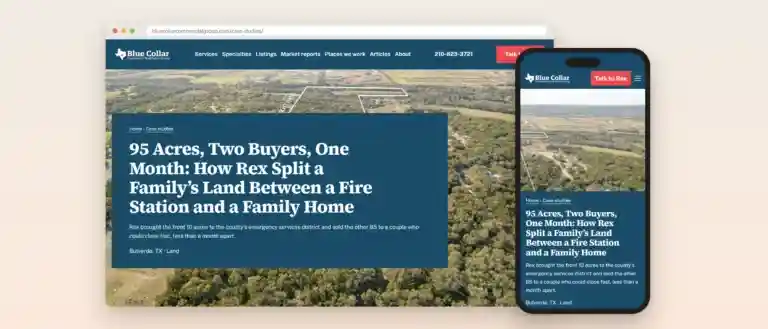
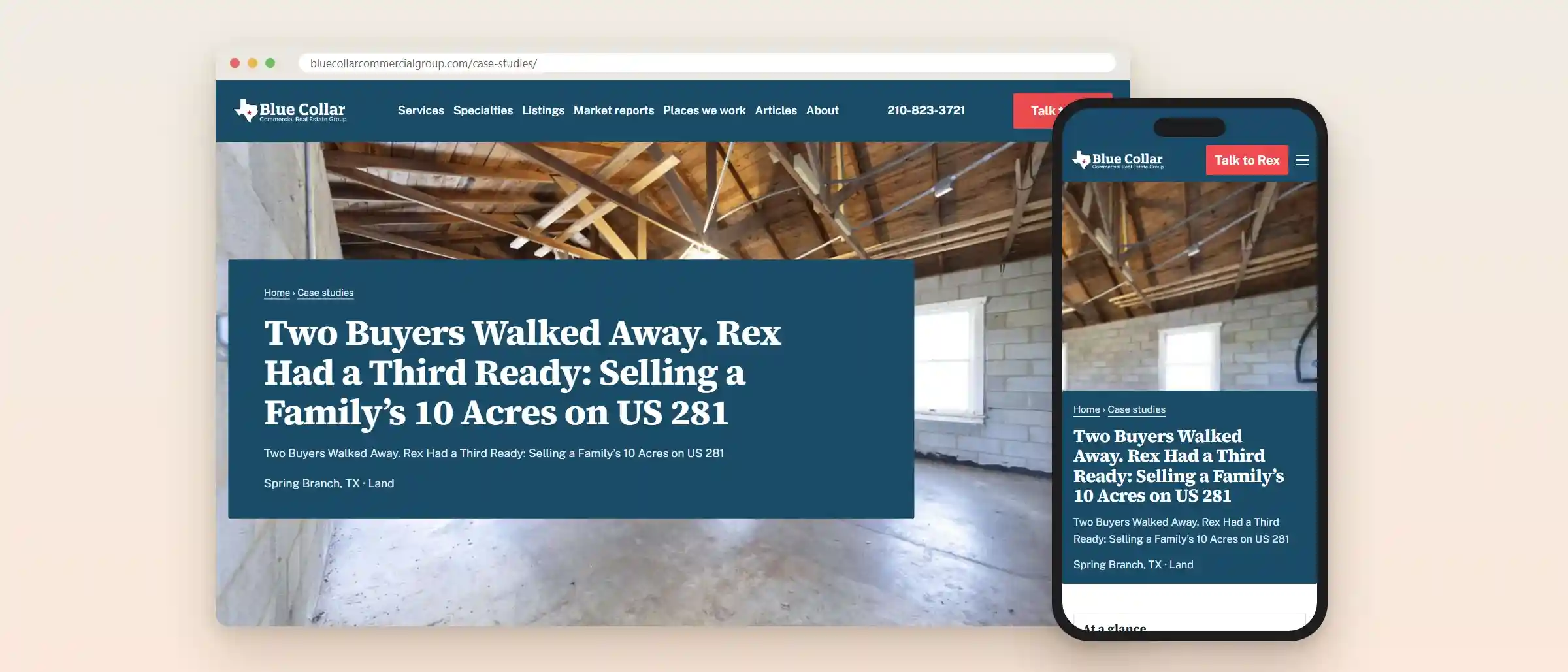
One real example comes from Blue Collar Commercial Group, the team I run with my dad, Rex: Two Buyers Walked Away. Rex Had a Third Ready. In a few minutes, a stranger learns the property (10 acres of land on US 281 in Spring Branch, Texas), who the team represented (two brothers selling their parents’ old home place), what made it hard (two buyers backed out over problems the land couldn’t solve), what the team did (kept the sellers informed and lined up a backup buyer) and how it ended (the backup contract closed four days after it moved into first place). That page tells a prospect more than any list of services.
A few ground rules keep this section strong. Share only what your client and your brokerage allow, give credit to any agent or teammate who worked the deal, and keep every detail accurate. A prospect who checks one fact and finds it stretched won’t trust the rest.
If you have reviews from business owners, landlords or investors, put them here too. A real client’s words go further than anything you write about yourself.
4. “Do they know my area?”
Owners and investors want an agent who knows their market, and short market reports show that you do. A few dated paragraphs on what’s leasing in a part of town, how a recent sale compares, or what a new project means for nearby owners is enough.
Market reports also give you a reason to call. “I just wrote up what’s happening with warehouse space near the airport, and thought of you” is a much easier call to make than “just checking in.” And because they’re dated and specific, they’re the kind of page an AI tool can pull from when someone asks about that market.
5. “What do they have right now?”
When you have listings, give each property its own page instead of a spot in a photo grid. That page should show the basic facts (address, property type, size, price or rate, lease type, zoning and availability), good photos, a map, your flyer or offering memorandum, your contact details and a simple way to ask about that property.
Then think about what happens after it closes. Some listing sites keep sold properties up and some don’t, but either way the page lives on their site, under their rules. On your own site, you can mark it sold or leased, keep it up and link it to the story of the deal. Over time, those pages become a record of the properties you’ve handled. We cover this in what happens to a listing after it sells.
If you share confidential material, such as a full offering memorandum or a rent roll, ask whether visitors can be asked to accept a confidentiality agreement before they download it.
Native listings vs. embedded listings
Listing tools such as RealNex, Buildout and Crexi Fuse can put your listings on your own website. They promise convenience: you enter a listing once and it shows up in several places. On your own website, that convenience can cost you more than it saves.
But there’s a catch worth knowing about. On your website, a listing from one of these tools often arrives as an embed: a window in your page that loads the listing from the vendor’s own servers after the page opens. When we checked sites using RealNex and Buildout listing embeds in August 2026, the listing details weren’t in the sites’ own pages at all. The address, price, size and description loaded in from the vendor afterward. Crexi Fuse is set up the same way: Crexi’s own setup guide has you drop an embed code into your website, and your listings then “automatically populate” from Crexi.
That matters for each of your three audiences:
- Human prospects may or may not get a good look. Depending on your site’s design, an embed can look out of place, load slowly or break on a phone.
- Search engines and AI chatbots may see an empty space. The facts aren’t in your page’s words, the listing doesn’t get a page of its own on your site, and there are no listing labels for them to read. Whatever credit that listing earns tends to go to the vendor’s site, not yours.
- Your track record goes with it. When the listing sells and comes out of the tool, it’s gone from your site too.
A native listing is the opposite: a real page on your own website, with its own web address, the facts written into the page itself, listing labels (more on those in Part 2) and your photos. That’s the version search engines and AI chatbots can find, understand and connect to you.
Check it yourself. Open one of your listings, right-click and choose “View page source,” then search for the property’s street address. If you can’t find it, the listing is embedded, not native. Also look at the address bar: a native listing has its own clean web address on your domain, such as yoursite.com/listings/1200-main-street.
6. “How do I reach them?”
Make it easy. Put your phone number and email on every page, and add a short message form. On listing pages, add a form for that property.
Then test it. Send yourself a message through your own form and see where it lands. If you track follow-ups in a contact manager or CRM, check that new messages reach it too. One missed message from the right owner costs more than any website.
Part 2: What search engines and AI chatbots need
You don’t need to build any of this yourself. But a website company that can’t explain these items in everyday words, or show you each one working, is asking you to take a lot on faith. For each item below: what it is, why it matters to you, and how to check it.
7. It’s fast, especially on a phone
Speed is how quickly your page shows up and responds to a tap. Google measures this with three scores it calls Core Web Vitals. Its targets: the main part of the page should appear within 2.5 seconds, the page should respond to a tap within 200 milliseconds, and things shouldn’t jump around while it loads.
When someone looks you up right after a meeting or a call, they’ll likely be holding a phone, and a slow page loses them before they read a word. Google also uses the phone version of your site when it decides how to rank it, so the phone version is the one that counts.
Check it yourself. Go to Google’s free PageSpeed Insights, paste in your web address and look at the “Mobile” results. Try your home page and one listing page. Then open your site on your own phone and see whether your name, what you do and your phone number show up without pinching and zooming.
8. Your words are in the page itself
Some websites send an empty page first and then fill in the words with extra code (JavaScript) running in the visitor’s browser. Others send the words in the page itself.
Some of the tools that fetch pages for AI answers can’t run that extra code. If your bio, services and deals only appear after it runs, those tools may miss them. Our article on why AI tools skip some websites goes deeper.
Check it yourself. Open one of your pages on a computer, right-click and choose “View page source.” Press Ctrl+F (Cmd+F on a Mac) and search for a sentence from your bio. If you find it, it’s in the page. If you don’t, ask your website company why.
9. Structured data: labels that tell search engines what each page is
Structured data (also called schema markup) is a set of hidden labels in your pages, written in a format Google and other tools agree on. It says, in effect, “this page is about a real estate agent named Jane Smith, at this brokerage, at this phone number,” or “this page is a listing, at this address, at this price.” There are standard labels for an agent, a listing, a business, an article, a list of questions and answers, and the trail of links at the top of a page (breadcrumbs).
Without labels, a search engine has to guess what a page is about. With them, it can tell a listing from a blog post and an agent from a brokerage, and it can show extra details in results. Labels don’t guarantee anything, but they remove guesswork.
One rule matters a lot: labels must describe what’s really on the page. Adding hidden reviews, ratings or questions that visitors can’t see is against Google’s guidelines and can backfire.
Check it yourself. Paste a page address into Google’s free Rich Results Test or the Schema Markup Validator. You’ll see which labels the page carries and whether there are errors. A listing page should show a listing; your bio page should show a person or agent.
10. Every page has its own title and description
Each page has a title and a short description that most visitors never see on the page itself. They’re what Google shows in search results: the blue headline and the two lines under it.
A page titled “Home” or “Listing 12” tells nobody anything. A page titled “Two-Story Office Building for Lease in Raleigh, NC” tells a searcher exactly what they’ll get, and gives them a reason to click. Every page should have its own, written for that page.
Check it yourself. Search Google for site:yourdomain.com (with your own web address). You’ll see a list of your pages as Google shows them. Look for repeated, vague or missing titles.
11. Clean web addresses and links between your pages
A clean web address reads like words, such as yoursite.com/listings/1200-main-street, instead of yoursite.com/?p=4821. Internal links are links from one of your pages to another.
Clean addresses tell people and search engines what a page is about before they open it. Links between your pages help visitors keep going, and they help search engines understand how your work fits together. Link each listing to its deal story, each deal story to the service and area pages it belongs to, and each market report to your area page.
Check it yourself. Click around your own site. Do the addresses make sense? From a closed deal, can you reach the related service and area pages in one click?
12. Google, Bing and AI tools can find every page
Three pieces work together here:
- A sitemap is a list of every page on your site, kept up to date automatically, so search engines don’t miss any.
- Google Search Console and Bing Webmaster Tools are free dashboards where you tell Google and Bing about your site and see how they see it, including pages they couldn’t reach.
- A robots.txt file is a short note at
yoursite.com/robots.txtthat tells automated visitors which pages they may visit.
AI tools gather information in different ways. OpenAI, for example, publishes separate names for the tool that finds pages for ChatGPT’s search answers (OAI-SearchBot) and the one that collects material for training (GPTBot), and a site can allow one and block the other. A website can block AI tools without the owner ever knowing. If the tools that answer questions can’t visit your site, your work can’t show up in their answers.
Check it yourself. Open yoursite.com/robots.txt in your browser. It should list your sitemap. Look for the line Disallow: / under the name of a search or answer tool (such as OAI-SearchBot, Bingbot or Googlebot): that line tells the tool to stay out of your whole site, and it shouldn’t be there for those tools. Then ask your website company whether your site is connected to Google Search Console and Bing Webmaster Tools, and who looks at them.
13. The same name, address and phone number everywhere
Your name, office address and phone number should match across your website, your Google Business Profile, your brokerage profile, LinkedIn and anywhere else you’re listed.
Search engines and AI tools cross-check these details. When they match, it’s easier to tell that all those pages are about the same person. When one profile has an old phone number and another an old office, the picture gets muddy, and prospects can end up calling the wrong number. A Google Business Profile also puts you on Google Maps, if your brokerage’s rules allow you to have one.
Check it yourself. Search your name and city. Open the first five results and compare the details. Fix the ones that are out of date.
14. Images that load fast and describe themselves
Your photos should be sized for the web (not straight off the camera), and each one should have a short text description, called alt text.
Oversized photos can slow a page down a lot. Alt text lets people who use screen readers know what a photo shows, and it tells search engines what’s in the picture: “Two-story office building at 1200 Main Street” says more than “IMG_4821.”
Check it yourself. PageSpeed Insights (see item 7) flags oversized images. For alt text, ask your website company how descriptions get added, and whether it happens automatically for listing photos.
15. Security and trust basics
Three small things that add up: a padlock in the address bar (the “s” in https, which means the connection is encrypted), a privacy policy that says what happens to the information people send you, and spam protection on your forms.
Browsers mark sites without the padlock as “Not secure.” A privacy policy is expected by anyone sending you their details, and some laws require one. Spam protection keeps your inbox for real prospects, so a genuine inquiry doesn’t get buried.
Check it yourself. Look for the padlock next to your address. Find your privacy policy link in the footer. Ask how your forms block spam.
16. A way to see what’s working
An analytics tool counts visits, shows which pages people read, and shows where those visitors came from.
It tells you which deal stories and market reports people actually read, which pages bring in inquiries, and whether that mailer or LinkedIn post sent anyone to your site. That helps you spend your time on what works.
Check it yourself. Ask your website company which analytics tool your site uses and how you see the numbers. If the answer is “we don’t have that,” ask for it.
17. Clear ownership and upkeep
Your web address belongs to you. Your domain name (like yourname.com) ends up on your business cards, emails and signs. Make sure it’s registered in your name, in an account you can log into. And before you sign up with any website company, ask what you can take with you if you ever leave.
Someone keeps it current. A website isn’t finished on launch day. Listings change, deals close, contact details change, and the software underneath needs updates and backups. Before you sign up with anyone, find out who handles the hosting, updates, backups and required notices, and what you’ll supply yourself, like new listings and closed deals. Adding a deal should be quick enough that you’ll actually do it.
Our guide on how to choose a website for your CRE business has more questions worth asking about both.
What you don’t need
A good commercial website doesn’t have to be big or expensive. Some things cost money or slow you down without helping any of your three audiences:
- An expensive custom design. A custom-built site can cost a lot up front, take months to finish and look great on launch day. But prospects, search engines and AI chatbots all judge you by what’s on your pages: your deals, your listings and your market knowledge. A clean, fast, professional design that puts your work first does the job.
- Effects that slow you down. Animations, sliders and large videos can look impressive in a demo. If they make your pages slow on a phone, they cost you more than they add, and none of them tells a prospect what you’ve closed.
- Dozens of near-identical city pages. A page for each area you actually know is useful. The same page copied with a new town name helps nobody.
- Stock photos of handshakes and skylines. A real photo of you and real photos of properties you’ve handled say more.
- A blog that posts filler. One dated, specific market report beats five general articles about “the importance of real estate.”
- Fake reviews or made-up numbers. Prospects check, and labels that don’t match what’s on the page can count against you with Google.
- Anyone who promises rankings. Nobody can promise you a spot on page one of Google or a mention in ChatGPT. A company that does is selling something it can’t control.
- Coding skills. You need to know what to ask for and how to check it. You don’t need to build any of it yourself.
A 20-minute check you can do tonight
You don’t need to be technical to see how your site is doing. Grab your phone and your laptop and try this:
- Look yourself up. Search your name and city. Does your own site come up? Do your details match across the first few results?
- Open your site on your phone. Within a few seconds, can a stranger tell who you are, what you do and how to call you?
- Read your bio out loud. Does it lead with your commercial work and the areas you cover?
- Look for your deals. Are your last few closings on the site, with dates? Do they show the full range of what you handle?
- Check your listings. Does each one have its own page? Are your sold ones still up?
- Send yourself a message. Use your own contact form and see whether it reaches you.
- Run PageSpeed Insights on your home page and one listing, and look at the mobile results.
- Run the Rich Results Test on a listing page and your bio page.
- Open your robots.txt and make sure it doesn’t block everything.
- Find your domain account. Do you know where your web address is registered, and can you log in?
If a few of these came up short, now you know where to start. Fix one thing this week. If you’re not sure which, start with steps 3 and 4, because that’s what a prospect reads first. Then hand steps 7 to 9 to whoever runs your site and ask them to walk you through the results.
Nobody controls what Google or an AI tool recommends. What you control is whether your work is there for them to find, and whether they can understand it when they do. You can also test what AI says about you in a few minutes.
Where UpliftCRE fits
UpliftCRE is a commercial real estate website on your own domain, built only for commercial work. It has a page for your bio, your markets, the property types and services you handle, your closed deals and your case studies, plus a native page for each listing, on your own domain, with photos, documents and a message form. When a listing sells or leases, it stays on your site, marked sold or leased. Your brokerage and license details sit in the footer.
The technical side is built in. Your words are in the page itself. Each page carries its own title and description, plus structured data: agent and business labels on your site, and listing, price, breadcrumb and question-and-answer labels on listing pages. Your site’s robots.txt lists your sitemap and lets AI search and answer tools in.
New messages land in a leads inbox on your site, and they can be passed on to other tools, such as your CRM, through services like Zapier or Make. You can add your own scheduling link, and the Deal Room asks buyers to accept a confidentiality agreement before they download documents.
You don’t have to write it alone. In a ten-minute meeting, you answer a few questions, and the AI staff drafts the listing, the case study or the page. You publish it when it’s right. On the Growth and Authority plans, Market Voice articles about your local market publish for you once or twice a week.
We host your site, keep the software updated and back it up through our hosting provider. You supply what only you know: new listings, closed deals and changes to your business.
$249 setup (non-refundable), then $149 to $229 a month. Your first month is free on monthly plans. Our target is a site preview in three to five business days.
Frequently asked questions
What should a commercial real estate agent’s website include?
What prospects see: your name, photo, brokerage and a short commercial bio; a page for each service, property type and area you cover; closed deals and deal stories; dated market reports; a page for each listing; and an easy way to reach you. Behind the scenes: fast phone pages, words in the page itself, structured data, a title and description for every page, a sitemap, and settings that let search and AI tools in.
What is schema markup, and do I need it?
Schema markup, also called structured data, is a set of hidden labels that tells search engines what a page is about, such as an agent, a listing or a business. You don’t strictly need it, but it removes guesswork for Google and AI tools. The labels must match what’s actually on the page.
How fast should my website load?
Google’s target is for the main part of a page to appear within 2.5 seconds, and to respond to a tap within 200 milliseconds. You can test any page for free with Google’s PageSpeed Insights. Check the mobile results first.
Can my website block ChatGPT or other AI tools by mistake?
Yes. A file called robots.txt tells automated visitors which pages they may visit, and a site can block AI tools without the owner knowing. Open yoursite.com/robots.txt to see what yours says, and ask your website company to explain it.
Are embedded listings from RealNex, Buildout or Crexi Fuse good enough for my website?
Usually not. Depending on your website’s design, an embed can look out of place, load slowly or break on a phone. And because the details load from the vendor’s servers, search engines and AI chatbots may not see your listings at all. At Blue Collar Commercial Group, the team I run with my dad, we tried both RealNex and Buildout. Our brokerage provided them, but we weren’t happy with how they performed, so we dropped them completely. Today we list our properties on our own website, CoStar and Crexi, and that’s all we need.
Do I need my own website if my listings are on LoopNet and Crexi?
Yes. Listing sites market the property, on their terms. Your own site markets you, keeps your whole track record in one place you control and works between listings. Keep using the listing sites for what they do well.
Should I put my license number on my website?
Yes, even if your state doesn’t require it. Prospects and AI tools can check whether a license is active, and showing your number makes that check easy. Use the same number everywhere you’re listed, and check your brokerage’s advertising rules for anything else that must appear.
Should my website focus on one property type?
It doesn’t have to. You can show every service and property type you can handle well, so more people can find you. When a lead isn’t a fit, you can refer it to a colleague you trust for a referral fee.
Will a better website make ChatGPT recommend me?
No one can promise that, because nobody controls AI answers. A clear site with your services, areas and closed deals, built so AI tools can find and understand it, gives them real facts to work with. That puts your name in the running.
Glossary terms used in this article
- Case study (deal story): A short write-up of one deal: the property, what made it tricky, what you did and how it turned out.
- Offering memorandum (OM): A marketing package for a property for sale, with photos, numbers and tenant details.
- CRM: A contact manager, the software where you keep track of people, calls and follow-ups.
- Domain: Your website’s address, like yourname.com.
- Embedded listing: A listing that appears in a window on your page but loads from another company’s servers.
- Native listing: A listing that’s a real page on your own website, with its own web address and the facts in the page itself.
- License lookup: Your state real estate commission’s public search, where anyone can check whether a license is active.
- AI tool: A program like ChatGPT, Gemini or Google’s AI that answers questions in writing instead of showing a list of links.
- Core Web Vitals: Google’s three measures of how fast and smooth a page feels to a visitor.
- JavaScript: Code that runs in the visitor’s browser to make parts of a page work. Some sites need it before their words appear.
- Structured data (schema markup): Hidden labels in a page that tell search engines what the page is about.
- Title and meta description: The headline and short summary a search engine shows for a page in its results.
- Sitemap: An automatically updated list of every page on your site, for search engines.
- Google Search Console / Bing Webmaster Tools: Free dashboards that show how Google and Bing see your site.
- robots.txt: A short file that tells automated visitors which parts of your site they may visit.
- Google Business Profile: Your free business listing on Google Search and Google Maps.
- Alt text: A short written description of an image, used by screen readers and search engines.
- https (the padlock): A secure, encrypted connection between your site and a visitor.
- Analytics: A tool that counts visits and shows which pages people read and where they came from.
Sources: Google, Core Web Vitals and PageSpeed Insights. Google Search Central, mobile-first indexing, introduction to structured data, title links, snippets and meta descriptions and sitemaps. OpenAI, overview of OpenAI crawlers. Schema.org, RealEstateAgent. Texas Real Estate Commission, Information About Brokerage Services and Consumer Protection Notice. Crexi Help Center, Crexi Fuse Setup Guide (September 15, 2026). Example case study: Blue Collar Commercial Group, Two Buyers Walked Away. Rex Had a Third Ready.