
TL;DR
- Buildout’s own comparison is the tell. Their July 2026 post has a table: general AI can read a listing agreement, but it “can’t act on it inside your workflow.” On UpliftCRE, your own ChatGPT, Claude or Gemini can.
- One signed listing becomes 19 pieces of copy. The description, the location write-up, buyer personas, talking points, objections, three emails, social posts and more. All drafts. You edit, you approve.
- Your listing is a real page on your own domain. Buildout’s plugin puts a box on your site that loads from Buildout after the page opens. We fetched one the way many AI crawlers read a page, without running that code. The box was empty.
- Serious buyers get a Deal Room. A forwardable Deal Memo for anyone, your private files behind a confidentiality agreement, and every buyer who signs becomes a lead in your inbox.
- The closing starts your record. A track record entry, then a case study. You decide whether the client’s name and the numbers show.
The short answer
Yes, your own AI assistant can do the marketing work on a listing, inside the system, if the system lets it in.
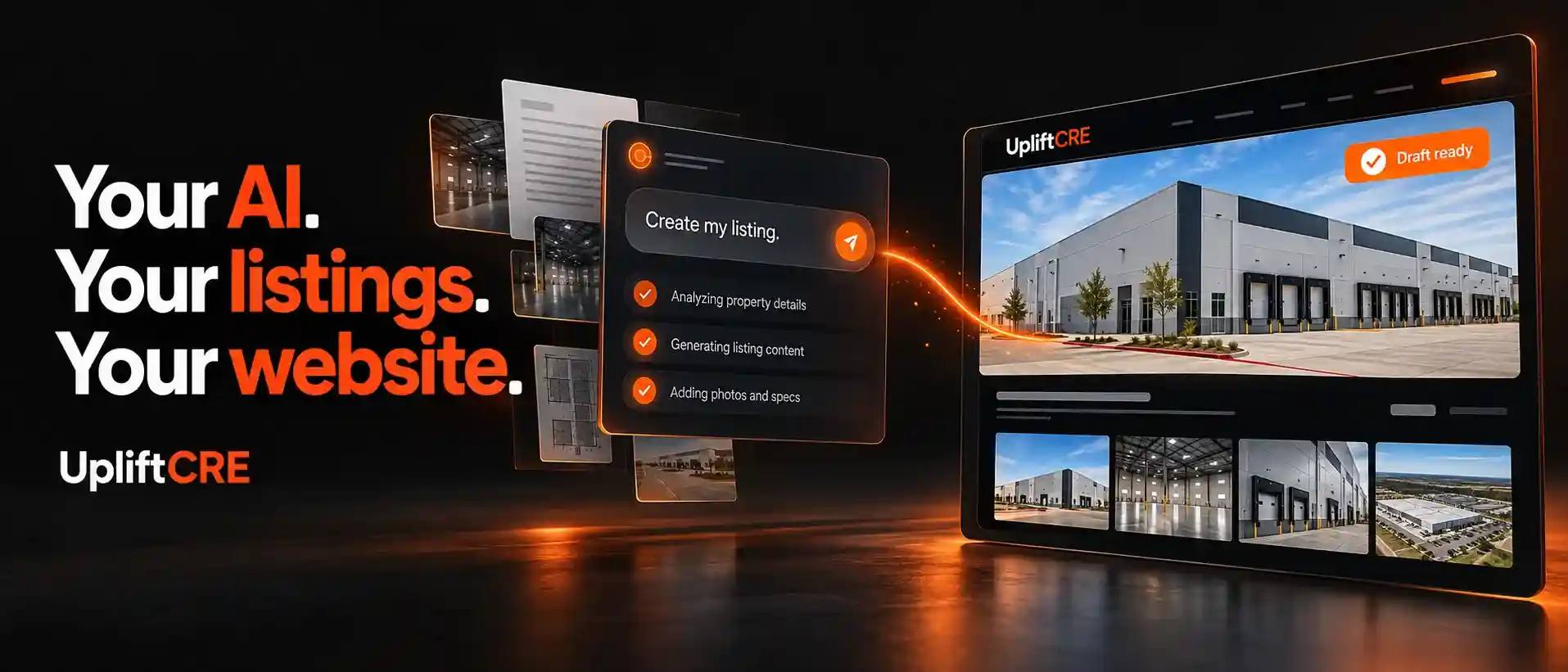
Buildout’s post never mentions letting your assistant in. UpliftCRE’s does. On UpliftCRE you connect the ChatGPT, Claude or Gemini account you already pay for, and it can create the draft listing, fill in the facts from your notes, write the copy, upload the photos and publish, each as a separate step you approve. You can also skip the assistant and do the same work in the UpliftCRE dashboard, where the AI is built in and costs you nothing extra.
The rest of this article walks through what one signed listing turns into, from the day you sign to the day it closes, and where that differs from Buildout.
Buildout wrote the comparison for us
In July 2026, Buildout published a post called “How Buildout AI Turns a Signed CRE Listing Into a Live Marketing Campaign.” The problem it describes is real. A listing agreement gets signed, someone retypes it into a platform, someone else opens Canva to build a flyer, and someone exports that flyer into Mailchimp. Days go by.
Then the post makes its case against general AI tools, and it includes a table. The table says ChatGPT can extract data from a listing agreement. It says ChatGPT can’t fill in the listing fields directly without copy and paste, and that a marketing page from it is “generic output, needs rework.” The line above the table says it outright: a tool like ChatGPT can read a listing agreement, but “what it can’t do is act on it inside your workflow.”
The post says Buildout’s AI works because it’s “built into the platform instead of bolted onto it.” Nothing in the post, and nothing we found on Buildout’s pages, describes letting an outside assistant in. Their comparison leaves connected assistants out.
It isn’t true of your workflow if your website is UpliftCRE. We built the connector so the assistant you already use can do the work on your site, under your login, with your permissions. On the rows that matter most to a listing, filling the fields directly and working inside the workflow instead of handing back a table, their “no” column is our “yes” column.
Who the listing is for
Read Buildout’s post again and notice who’s in it. A marketing coordinator supporting fifteen brokers. A brokerage leader who owns “how fast and how consistently listings go to market.” A shared library of saved layouts. There’s a paragraph for the solo broker too, and what it promises is professional materials in minutes. Even there, the listing lives in the firm’s tool and the materials carry the firm’s brand. The product is built around the firm’s inventory.
UpliftCRE starts from the advisor whose name is on the agreement, and builds the listing around what it should do for you.
An owner who’s thinking about hiring you will look you up. An investor who found your listing will look you up. In 2026 that often means asking ChatGPT or Gemini, which answer from what they can find about you online. A listing that lives in the firm’s inventory tool builds the firm’s record and the tool’s address. A listing that lives on your own website, with its facts in the open, builds yours. When it closes, it should stay there as proof you did the work.
That’s the design goal. Everything below follows from it.
What one signed listing turns into
Start the listing in your dashboard. Drop in the listing agreement, the survey, the old flyer, the rent roll if you have one, and the photos. The documents stay private. UpliftCRE reads them to fill in empty facts, and it keeps a note of which document each fact came from, so when a buyer asks where a number came from, you have the answer. Photos go to the gallery. Then you add what the documents don’t know: why the owner is selling, what you’d tell a buyer on the phone, what’s wrong with the building.
From that, the listing assistant drafts 19 pieces of copy. Here they are in the words of the work you’d use them for.
| What you need to do | What the assistant drafts |
|---|---|
| Describe the property | Property description, and the headline summary and highlights for the Deal Memo |
| Explain the location and the numbers | Location write-up, highest-and-best-use analysis, financial summary, and a reading of the local Census data |
| Get ready for buyer calls | Buyer personas, talking points, and the objections you’ll hear with answers |
| Reach out | A buyer email, a broker-cooperation email, and a prospecting email to owners of similar properties |
| Post it | A LinkedIn post, a Facebook post, a short video script, and hashtags |
| Get found | A search title and description for the page |
Some of those are for the public page. Some, like the personas and the objections, are for you and never publish. On a thin set of documents the assistant leaves a field empty rather than invent something. There’s also a claim check that scans the drafts for numbers and promises the documents don’t support, so a figure a buyer could catch you on gets flagged before it goes out.
The whole set is drafts. Nothing publishes on its own. The social posts are written for you to read, fix and paste. UpliftCRE does not post to your LinkedIn, and it won’t send an email with your name on it. If you run your own automation in Make, Zapier or n8n, there’s an optional sync that hands your published content to it. That’s your tool and your rules.
Buildout’s July post describes a Marketing Proposal Builder that generates a branded page from a request: an investment summary, a location overview, a cover page. Those are pages of a proposal, built inside Buildout’s editor. The post doesn’t mention talking points, objections, emails or social posts, and a proposal page isn’t a page on your domain.
Do it from your own ChatGPT, Claude or Gemini
Buildout’s table says this part can’t happen.
On UpliftCRE, you connect the AI assistant you already use to your site. Buildout’s pages don’t describe anything like it. Once you’re connected, you can say something like this to it:
“Here’s the listing agreement for the warehouse on Pine Street. Create the draft listing on my site, fill in the facts from this, and write the copy. Flag anything I should check before it goes live.”
The assistant creates the listing as a draft. It fills in the facts, and only the empty ones, so it never overwrites something you typed. It writes or generates the copy. It uploads photos. Publishing is its own step, and it only works on drafts. If you want a second gate, turn on approve-first, and every publish waits for your OK in the dashboard.
Your permissions carry over. An advisor’s assistant can only see that advisor’s listings and profile. A director’s can work firm-wide. The same connection reaches the rest of your site too: your bio, services, track record, case studies, market reports and testimonials.
If you use Claude, you don’t have to teach it the job. We publish free Claude skills for UpliftCRE sites on GitHub. The listing skill takes an offering memorandum, a flyer, a survey or a few typed facts, creates the draft listing on your site, fills in the facts and adds the photos, and when the deal closes it can mark the listing sold and add the deal to your Track Record. There are skills for blog articles, market reports and case studies too, and one that builds an offering memorandum in your brokerage’s branding. Every skill saves drafts and waits for your yes before anything publishes. Download the zip, upload it in Claude’s Skills settings, and ask.
That’s the difference between an assistant that hands you a table to paste and one that does the work where the work lives. It’s the line Buildout’s own table draws. We put you on the other side of it.
The listing lives on your domain, in the open
A listing shows up “on your website” in two very different ways.
Buildout’s inventory plugin, the one on its own pages, drops a box on a page you already have. After the page opens, code from Buildout fills the box with your listings. We opened a site using that plugin on October 15, 2026, the way many AI crawlers read a page, without running that code. The box was empty. No address, no price, no labels telling Google or an AI what the property is. The full measurement is on our Buildout comparison page.
On UpliftCRE, each listing is a page of its own on your domain, with its own web address. The name, address, size and price (when you choose to show it) are written into the page, and each is labeled so Google and AI tools know what they’re looking at and who the agent is. Behind each fact, UpliftCRE keeps where it came from and an “as of” date, and the site can show that table with the listing, so a buyer can see the square footage came from the survey and the income figure from the owner’s rent roll. Private things, like internal notes, the owner’s motivation and your comps, never reach the public page.
None of that makes an AI recommend you. Nobody controls those answers. It gives the AI something to find, on a page that’s yours, so whatever that page earns, it earns on your domain and not a vendor’s. If you want to check a site you already have, our guide on why AI tools skip some websites has a two-minute test.
We tried Buildout. At Blue Collar Commercial Group, the team I run with my dad, our brokerage provided both Buildout and RealNex. We weren’t happy with how they performed on our site, so we dropped them. Today we list on our own website, CoStar and Crexi, and that’s all we need.
When a serious buyer wants the file
Every UpliftCRE listing can have a Deal Room. It has two doors.
The public door is the Deal Memo: a one-page summary built from your listing fields, with a web address anyone can forward. The buyer’s partner, the lender, the attorney. It carries the story without the rent roll.
The private door is behind your confidentiality agreement. Your files go to private storage, never to the website’s photo library, so a rent roll can’t end up on a public page by a wrong click. A buyer reads and signs the agreement on the listing page, and then sees the documents plus a Property Data Packet, a spreadsheet built from the listing’s own fields with no AI involved. Every buyer who signs lands in your Leads Inbox as a lead, with their name and what they asked for. That’s a lead in the real sense: someone who raised their hand, not a name on a list.
When Lead Intelligence is turned on for your site, the inbox goes further. It researches the person and their company, drafts a call-prep brief, talking points, a suggested next step and an intro email. Anything it couldn’t confirm is marked as unverified, so you know what to check before the call.
Buildout’s own FAQ says its property sites support document sharing. UpliftCRE’s Deal Room is built for the listing itself: the memo, the agreement, the files and the lead, in one place on your site. It isn’t a bidder-stage transaction room, and it isn’t trying to be.
After it closes
This is where listing software and your website part ways for good. Listing software can keep a sold property as a closed listing. Buildout’s own pages offer a closed-listings showcase. A closed listing says the property sold. It doesn’t say which side you were on, what the problem was or what you did about it, and it only covers deals that started as your listing. We wrote about the rest in what happens to your listing after it sells.
On UpliftCRE, when you change a listing to Under Contract, Sold or Leased, it asks: capture the deal? That opens a private deal-tracking box on the listing. Nothing in it shows on the public page. It feeds your firm’s own comps.
Your public proof is the Track Record. You add the closing there, as a seller, buyer, landlord or tenant representation, so deals that never started as your listing count too. From a Track Record entry you can start a case study, already filled with the deal’s details. From a finished case study you can add the win to your Track Record in one step. Our guide on how to write a CRE case study covers what goes in one.
Two things to know about privacy here. A Track Record entry is public unless you mark it confidential, so check the box when the client hasn’t approved. A case study starts the other way around: naming the client and showing the figures are both off until you turn them on, and the assistant can’t turn them on for you.
The listing page stays, the deal is on your record and the story is written, so when the next owner looks you up, there’s more to find than what’s for sale this month.
Where UpliftCRE fits
UpliftCRE is a commercial real estate website on a domain you own, with an AI marketing staff behind it. Listings, Deal Room, Track Record and case studies are on every plan. You answer a few questions or drop in your documents, the assistant drafts, and you approve before anything publishes. Or connect your own ChatGPT, Claude or Gemini and do it from there.
$249 to set up, then $149 to $229 a month, month to month. Your first month is free on monthly plans. Your AI assistant, if you use the connector, is your own subscription. Plans are on the pricing page.
Frequently asked questions
Can ChatGPT really publish a listing on my website?
Yes, through UpliftCRE’s connector. It creates the listing as a draft, fills in facts, writes copy and uploads photos as separate steps, and publishing is its own step that only works on drafts. You can also require your approval in the dashboard before any publish goes through.
Do I need my own ChatGPT or Claude subscription to use UpliftCRE?
No. The dashboard assistants are built in and included. The connector is for advisors who already use ChatGPT, Claude or Gemini and want to work from there. That subscription is yours.
Is there a ready-made way to do this, or do I have to learn the connector?
If you use Claude, download the free UpliftCRE skills from GitHub and upload them in Claude’s Skills settings. Then ask Claude to add a listing from your OM, and it knows the steps. The skills are for Claude only. ChatGPT and Gemini work through the connector without them.
Does UpliftCRE post to my LinkedIn or send my emails?
No. It drafts the LinkedIn post, the Facebook post, the video script and three emails. You read them, fix them and send them. If you run your own automation, an optional sync can hand published content to it.
What’s the difference between an embedded listing and a native one?
An embedded listing is a box on your page that loads from the vendor’s servers after the page opens. A native listing is a page of its own on your domain with the facts written in, where search engines and AI tools can find them. We fetched a Buildout plugin page without running its code, and the box was empty.
Does UpliftCRE replace Buildout for a brokerage?
It’s not the same product. Buildout’s pages describe the firm’s marketing operations: proposals, a document editor, email and sending listings to other sites. UpliftCRE is your own website with the listing, deal-room and track-record work built in. If your firm runs Buildout, it runs it for the firm. Your website is yours.
Will a native listing page get me recommended by AI?
No one can promise that. AI answers change and nobody controls them. A native page with labeled facts gives AI tools something real to find and credit to you. An empty box gives them nothing.
Glossary terms used in this article
- Native listing page: A property page that’s part of your own website, with its own web address and the facts written into the page.
- Embedded listing: A box on your page that fills in from another company’s servers after the page opens.
- Connector: The link between your UpliftCRE site and your own ChatGPT, Claude or Gemini account, so the assistant can work on your site with your permissions.
- Deal Room: The part of a listing where serious buyers sign a confidentiality agreement and then see your private files.
- Deal Memo: A public one-page summary of a listing, built from its fields, that anyone can forward.
- Property Data Packet: A spreadsheet of the listing’s facts, given to buyers after they sign the confidentiality agreement.
- Lead: Someone who showed interest and made a move, like signing your confidentiality agreement. A name on a list is a suspect, not a lead.
- Track Record: The public list of deals you’ve closed, in any role: seller, buyer, landlord or tenant representation.
- Case study: A written story of one deal: the challenge, what you did and how it turned out.
- Highest and best use: The use of a property that’s legal, possible and brings the most value.
Sources: Buildout, “How Buildout AI Turns a Signed CRE Listing Into a Live Marketing Campaign”, July 10, 2026, including its “General AI tools vs. AI built for commercial real estate” table; Buildout plugin page measured October 15, 2026, details on the UpliftCRE vs Buildout page. UpliftCRE features as built in the platform code, checked October 26, 2026. Last checked: October 26, 2026.