
Works with ChatGPT, Claude and Gemini
Run your CRE website from the AI you already use.
You already ask ChatGPT, Claude or Gemini for help every day. Now it can work on your website too. Connect your UpliftCRE site one time. Then add a listing, write up a closed deal or check your leads, right from the chat you already have open.
The real win
Your website stops being one more piece of software to learn.
No dashboard to log into. No menus to remember. No “where do I add a case study again?” You tell your AI what happened, in the words you already use, and your website keeps up.
See it in action
You ask. Your site gets the work.
Four everyday jobs, done from one chat.
New listing
Add my new 18,500 SF industrial listing at 1420 Industrial Dr. Asking $2.1 million. Photos attached.
Done. I created a draft listing with the facts and your photos, and wrote the description. Want me to publish it?
✓ Draft listing ready to review
Closed deal
Turn this closing email into a case study.
I drafted the case study: the challenge, the strategy and the result. I also added the deal to your track record.
✓ Case study draft ready
Market report
Write my Q3 industrial market report from these notes.
Your Q3 report is drafted on your site. Have a look before it goes live.
✓ Market report draft ready
Leads
Show me this week’s website leads.
You had 3 new leads. Maria R. asked about selling a retail center. Want the full list?
✓ Leads pulled up
Illustrative example.
How it works
Choose your AI. Connect your site. Start asking.
1. Choose your AI
ChatGPT, Claude or Gemini. Use the one you already pay for.
2. Connect your site
Add your UpliftCRE site as a connector in your assistant’s settings and sign in with your website login. You do this one time.
3. Start asking
Use plain words. New pages start as drafts. Read them, ask for changes, and tell it when to go live.
Real screenshots
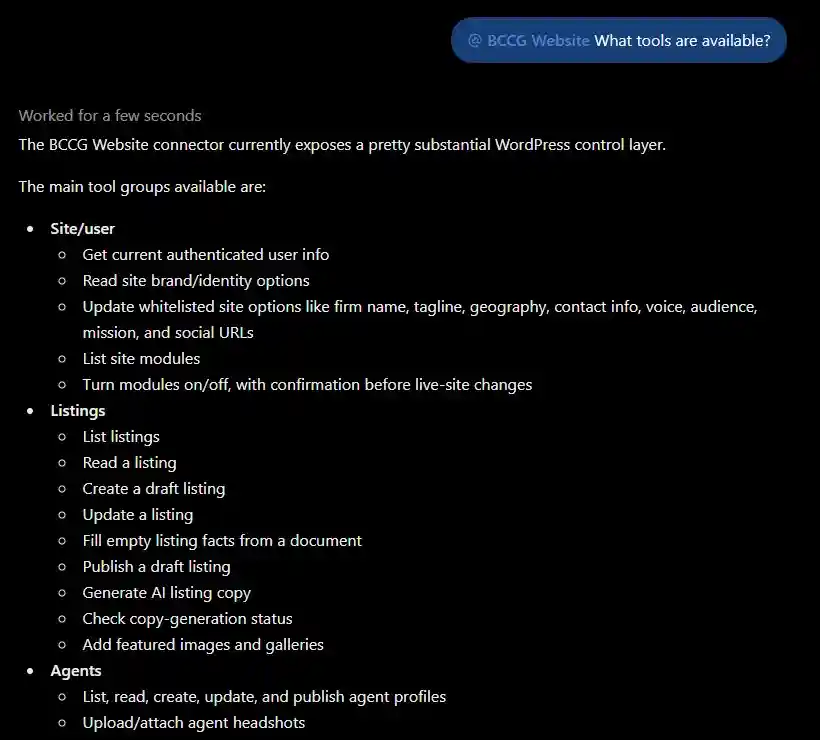
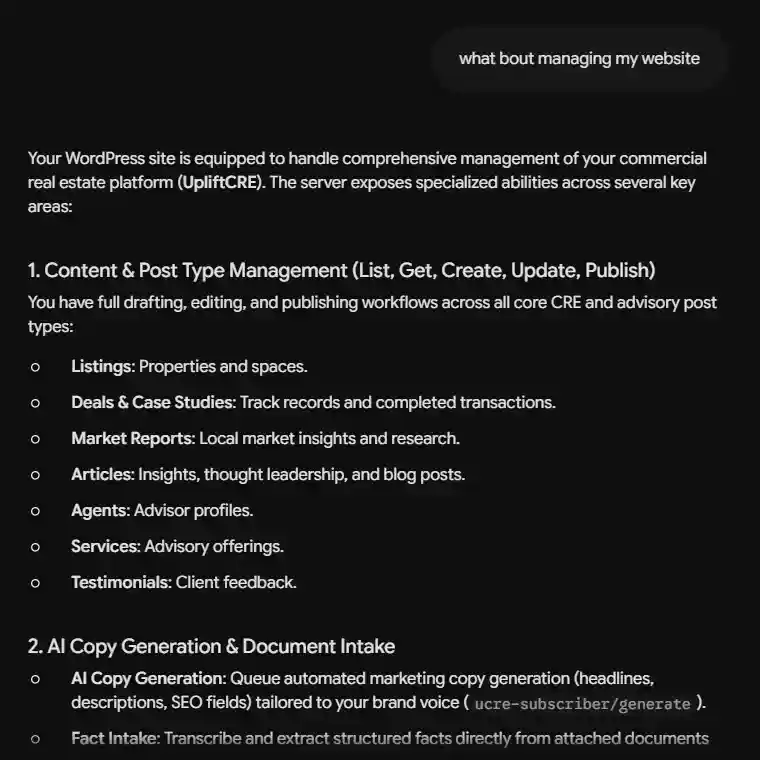
Real assistants. A real UpliftCRE site.
These are ChatGPT and Gemini, connected to a live UpliftCRE site, describing what they can do on it.
What you can ask it to do
The everyday work on your site. From one chat.
Listings
“Add my new listing.” It creates the draft, fills in the facts from your notes or a flyer, writes the description and adds the photos.
Closed deals and case studies
“I just closed the warehouse on 46.” It adds the deal to your track record and drafts the case study.
Market reports and articles
“Draft a Q3 update for my market.” It writes the draft on your site for you to check.
Your profile, services and testimonials
“Update my bio.” “Add a testimonial from my last client.” Done in the same chat.
Your leads
“Who reached out this week?” It pulls up your new leads, and can export them for your CRM.
Your built-in AI staff too
Prefer the dashboard? Your built-in AI staff does the same jobs. Use either one, or both. It all lands on the same site.
What it can’t do
Your assistant does the work. It can’t wreck your site.
We built hard limits into the connection itself, not just good intentions.
It can’t delete anything
It can add and update your content. There is no delete button for your AI. Not for pages, not for listings, not for leads.
It can’t change your design or your brokerage’s brand
Your layout and your brokerage’s name and branding are locked. It works on your content only.
It can’t contact your leads
It can show you your leads and export them. It never emails, texts or calls anyone.
It can’t touch your settings that matter
Integrations, keys and compliance details are off limits to it.
It can only do what your login allows
On a team, an advisor’s AI can only work on that advisor’s own listings and profile.
New work starts as a draft
You read it, ask for changes, and decide when it goes live. No AI is perfect, so you are the last check.
What you need
Probably nothing new.
An UpliftCRE site
Every plan includes the connector. No add-on, no extra fee.
ChatGPT, Claude or Gemini
The one you already use. Your AI subscription is separate from UpliftCRE.
A few minutes, one time
Add your site as a connector in your assistant’s settings and sign in. After that, just ask.
You already have the assistant. Give it a website to run.
$249 one-time setup (non-refundable). Your first month’s subscription is free. Then from $149 a month. Month-to-month, cancel anytime.